

Download Ashampoo AntiSpyWare – anti-spyware, malware protection, internet security, pc protection, spyware blocker
Overview
Ashampoo AntiSpyWare is a security-focused tool designed to safeguard Windows-based systems from online threats such as spyware, malware, and unauthorized access attempts. The application aims to provide users with a reliable layer of protection during internet browsing, ensuring that personal data remains secure. Its primary purpose is to prevent malicious software from infiltrating the system, particularly during online sessions, by offering proactive defense mechanisms.
Targeted at individuals concerned about digital privacy and system integrity, Ashampoo AntiSpyWare serves users who seek consistent protection without requiring advanced technical knowledge. It is especially relevant for home users and small office environments where robust yet accessible security tools are essential. The developer, Ashampoo, has positioned this application as a streamlined solution for real-time threat mitigation, focusing on usability and immediate threat response.
Although the developer did not provide additional technical details about the software’s architecture or detection algorithms, the app’s core functionality centers around monitoring internet activity and blocking known malicious behaviors. It operates as a supplementary security layer, helping users maintain a safer digital environment. In the broader context of the security software ecosystem, Ashampoo AntiSpyWare fills a niche for lightweight, dedicated anti-spyware protection, even though its release date suggests it may not include modern threat detection capabilities.
Key Features & Functionality
- Real-Time Protection: The application continuously monitors system activity during internet use, scanning for suspicious behavior and blocking potential threats before they can compromise the device. This feature is especially useful during online banking or shopping sessions where data exposure risks are higher.
- Regular Updates: To maintain effectiveness, the software receives periodic updates that refresh its threat database. This ensures that known malware signatures and attack patterns are recognized and countered, helping users stay protected against evolving digital risks.
- Comprehensive Threat Detection: Ashampoo AntiSpyWare is engineered to identify various malicious entities, including spyware, trojans, keyloggers, and other data-exfiltrating software. This broad detection scope helps prevent unauthorized access to sensitive information such as passwords and financial details.
- Popup Blocker: Beyond traditional security functions, the tool includes a popup blocker that reduces intrusive advertisements and malicious redirects. This improves browsing experience and minimizes the risk of accidental clicks on harmful content.
- User-Friendly Interface: The application features an intuitive layout designed for accessibility across different user skill levels. Simple navigation and clear visual indicators allow users to manage settings and review protection status without technical training.
These features collectively support a safer online experience by reducing exposure to digital threats and enhancing user control over system security. The software’s focus on simplicity and continuous updates makes it suitable for users seeking a dependable, low-maintenance security solution.
Interface, UX & Performance
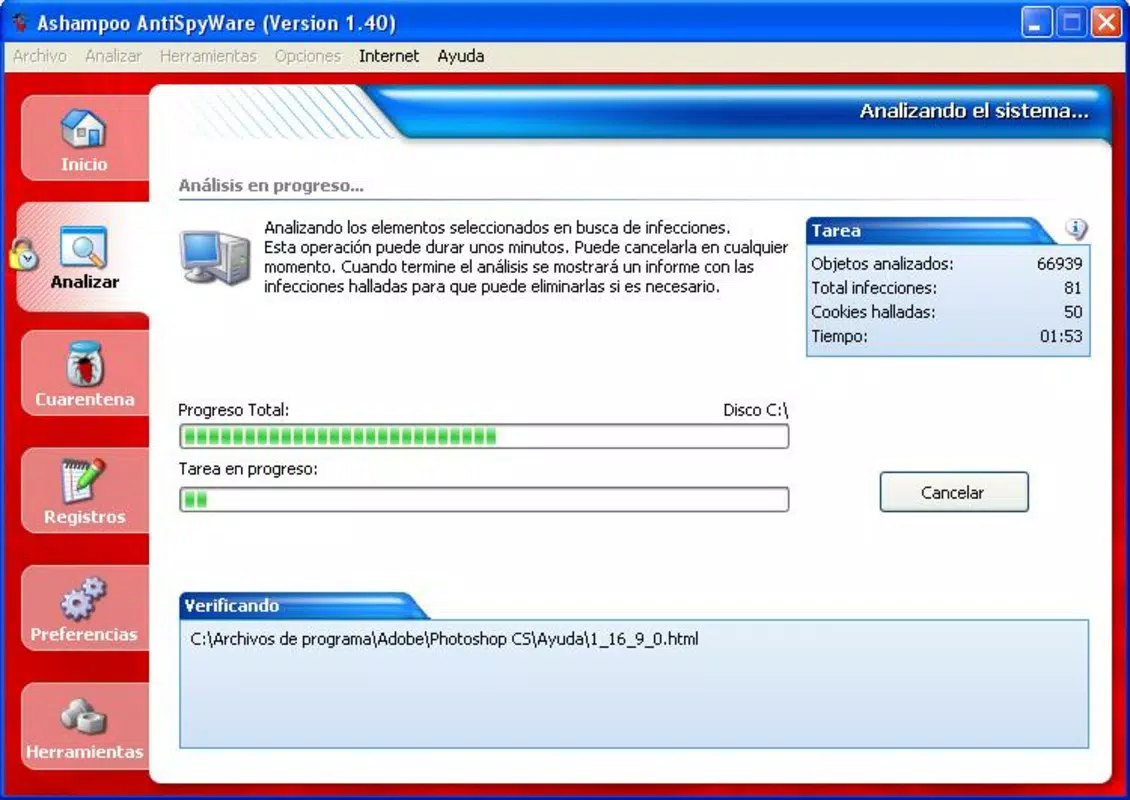
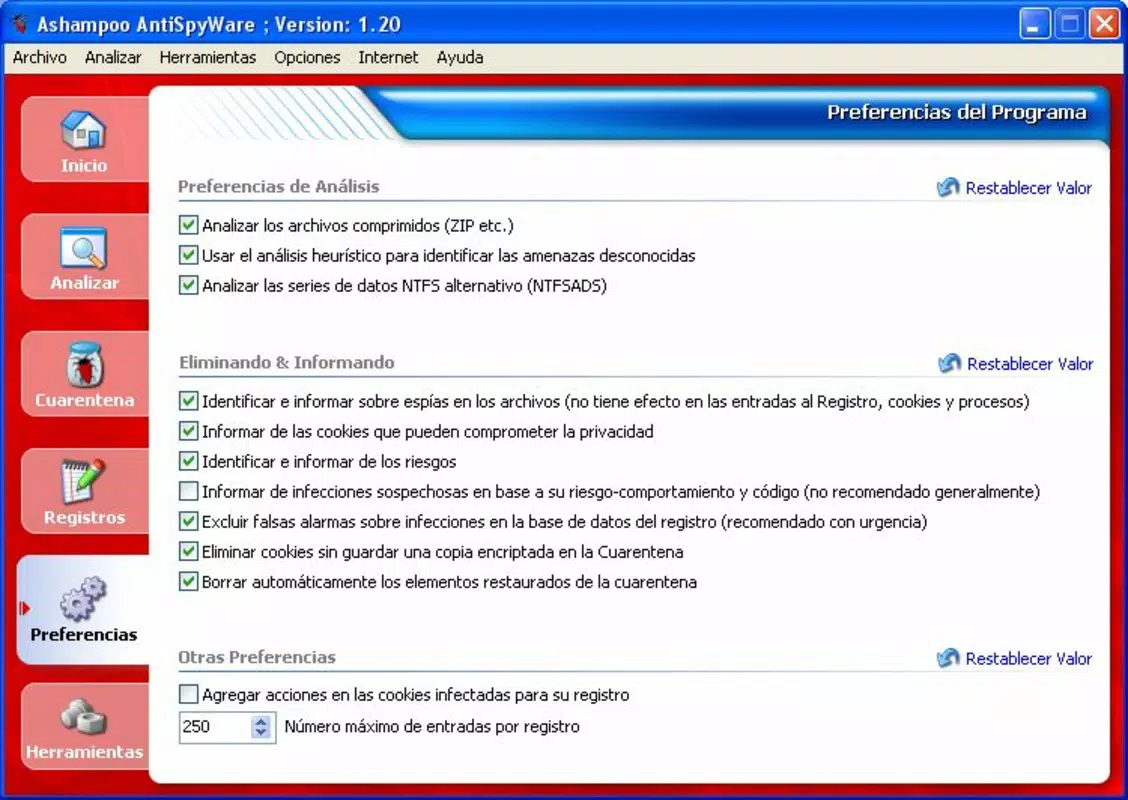
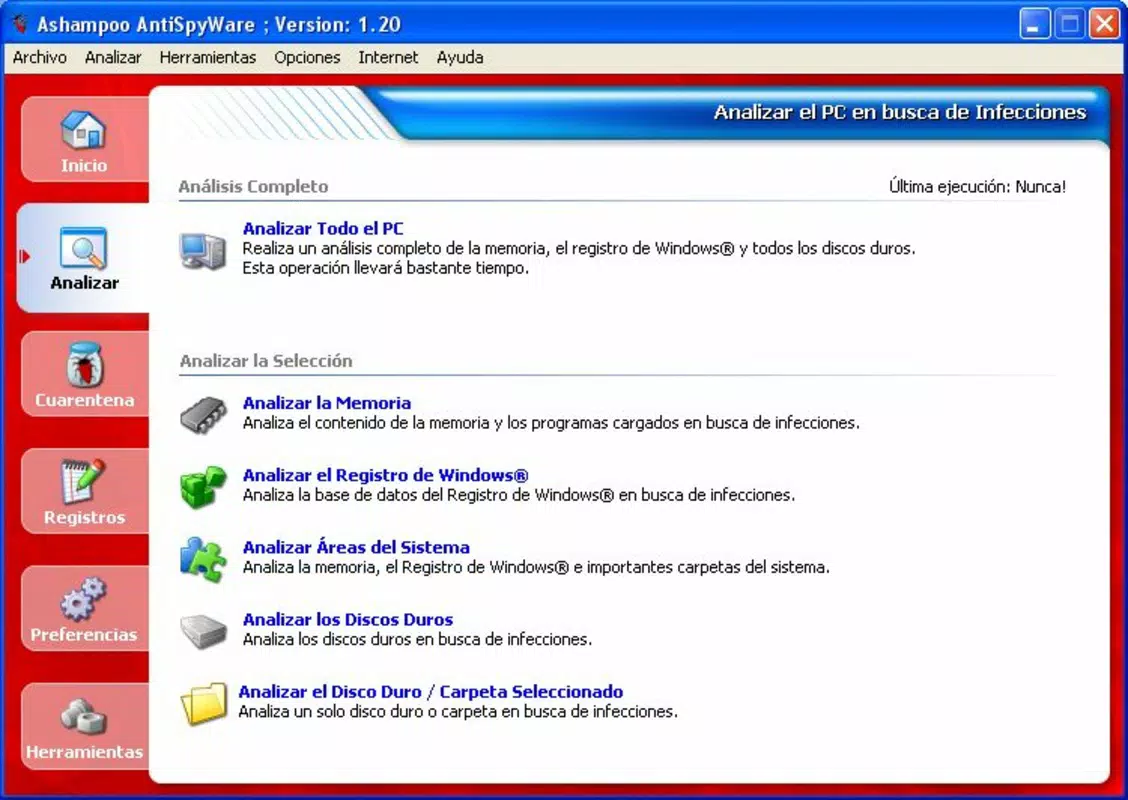
The interface of Ashampoo AntiSpyWare is designed with clarity and ease of use in mind. Users can expect a clean layout with clearly labeled sections for monitoring protection status, managing settings, and reviewing scan results. Navigation is straightforward, allowing users to access core functions with minimal effort.
Although the developer did not list formal performance metrics, the application is reported to operate efficiently on standard Windows systems. It runs in the background without significantly impacting system resources, making it suitable for use on older or low-spec hardware. Responsiveness is maintained during active scans and real-time monitoring, contributing to a stable user experience.
Stability appears consistent based on its long-standing presence in the market, though modern compatibility may be limited due to its release date. The application does not require frequent restarts or manual intervention, supporting a hands-off approach to security. Overall, the user experience reflects a balance between functionality and simplicity, prioritizing accessibility over advanced customization.
Platform Compatibility & Technical Requirements
Ashampoo AntiSpyWare is designed for the Windows operating system. The application is available in version 1.0.0.0 and has a file size of 12.2 MB. It is intended for use on desktop and laptop systems running Windows, though specific OS versions are not listed.
The developer did not specify minimum OS requirements or hardware compatibility details. As such, compatibility with modern Windows versions (such as Windows 11 or later) cannot be confirmed. Users should verify system requirements through official sources before installation. The lightweight file size suggests it is optimized for systems with limited storage and processing power.
Pros and Cons
Pros
- Real-time protection helps prevent malware infiltration during internet use.
- Regular updates ensure ongoing defense against emerging threats.
- Simple, intuitive interface suitable for non-technical users.
- Popup blocker enhances browsing safety and reduces distractions.
- Lightweight design with minimal system impact.
Cons
- Release date from 2008 suggests outdated threat detection capabilities.
- Developer did not provide detailed system or OS compatibility information.
- Limited functionality compared to modern all-in-one security suites.
- No mention of cloud-based scanning or AI-driven threat analysis.
- Price point of $29.99 may be high for a legacy tool with limited current relevance.
FAQ
Is Ashampoo AntiSpyWare compatible with Windows 11?
The developer did not disclose compatibility with Windows 11. Users should consult official sources or test the software in a safe environment before installation.
Can I download Ashampoo AntiSpyWare for free?
The application is priced at $29.99. No free version or trial was mentioned in the provided information.
Does Ashampoo AntiSpyWare require a constant internet connection?
While real-time protection likely requires internet access, the developer did not specify whether a continuous connection is mandatory for all features.
How often are the virus definitions updated?
The software provides regular updates to keep threat definitions current, though the exact update frequency was not specified.
Is Ashampoo AntiSpyWare safe to install?
The software is developed by Ashampoo, a known name in the security space. However, users should download only from official sources to ensure authenticity and avoid potential risks.
Final Thoughts + CTA
Ashampoo AntiSpyWare presents a legacy solution for users seeking basic anti-spyware protection. Its core features—real-time monitoring, regular updates, and a user-friendly interface—offer a foundational level of security for Windows systems. While its 2008 release date raises concerns about modern threat detection, it may still serve as a supplementary tool for older systems or users who prioritize simplicity over advanced functionality.
For individuals with limited technical expertise and a need for straightforward protection, the app remains a viable option. However, those seeking comprehensive, up-to-date security should consider more recent alternatives with enhanced detection methods and broader feature sets.
Download Ashampoo AntiSpyWare now


